
 Java
Java
(Code 在 code docs 里)
# Java Function in a class
Example:
// main class

// access modifier is public

// ParscalNamingConvention
public class Main {

    // main function
    // camelNamingConvention
    public void main() {

    }
}
1
2
3
4
5
6
7
8
9
10
11
12
13
2
3
4
5
6
7
8
9
10
11
12
13

# How Java code gets executed
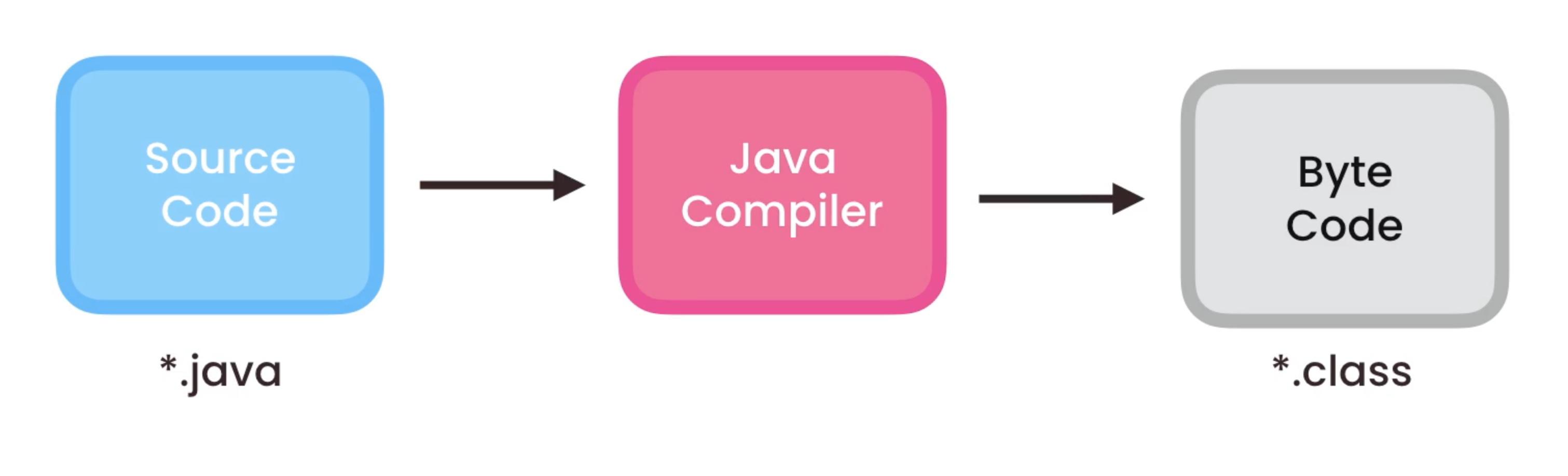
- Compilation
- Java compiler (comes with JDK) compiles source code to byte code
- Use the key word: javac (stands for java compiler)
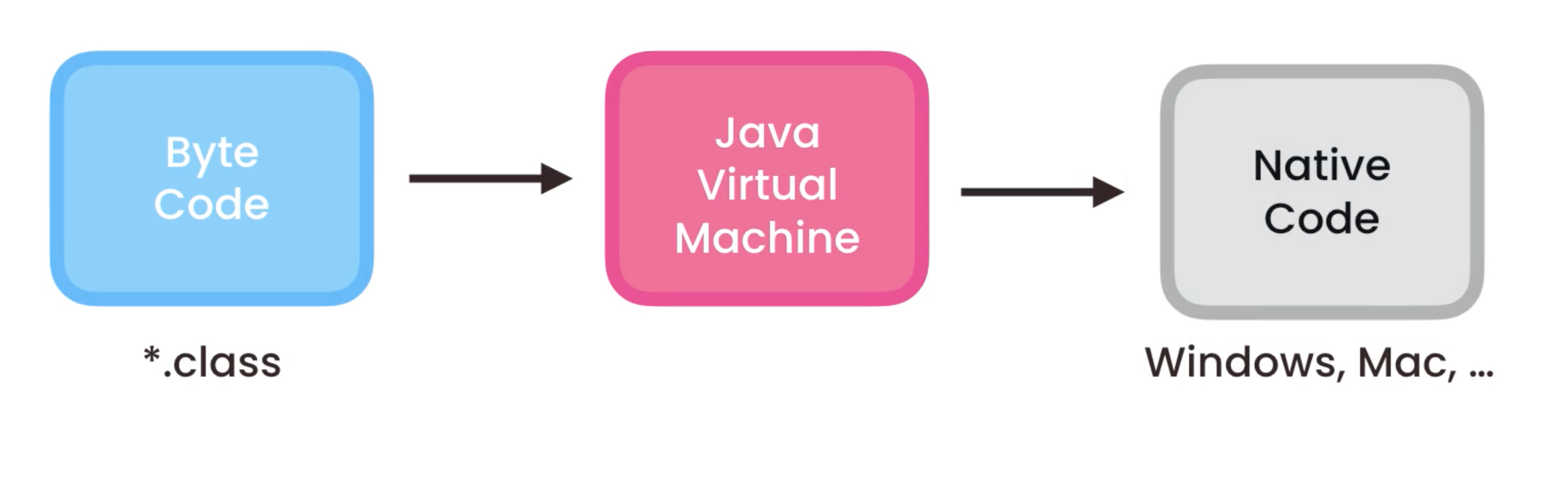
- Execution
- OS/platform independent
- Use the key word: java (using the java virtual machine)
# Types
# Variables and Constants
// int: identifier
int age = 30;

int final LIFE_SPAN = 31;
1
2
3
4
2
3
4
# Primitive and Reference Types
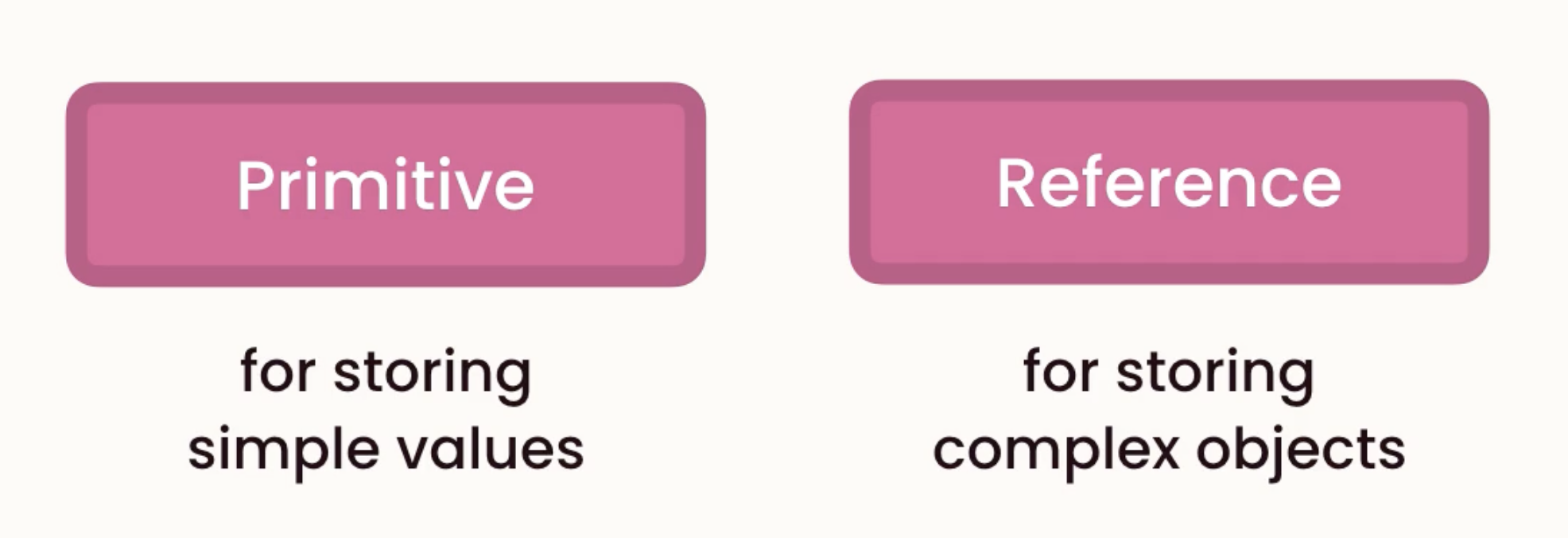
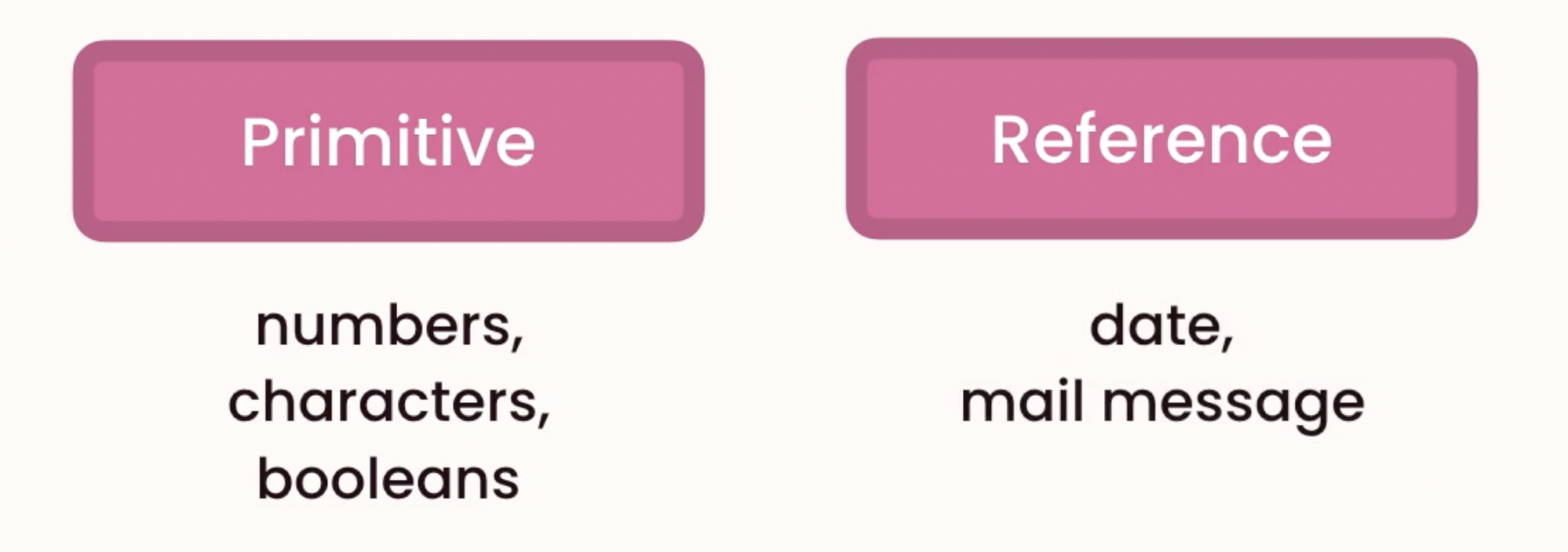
# Primitive: for storing simple values
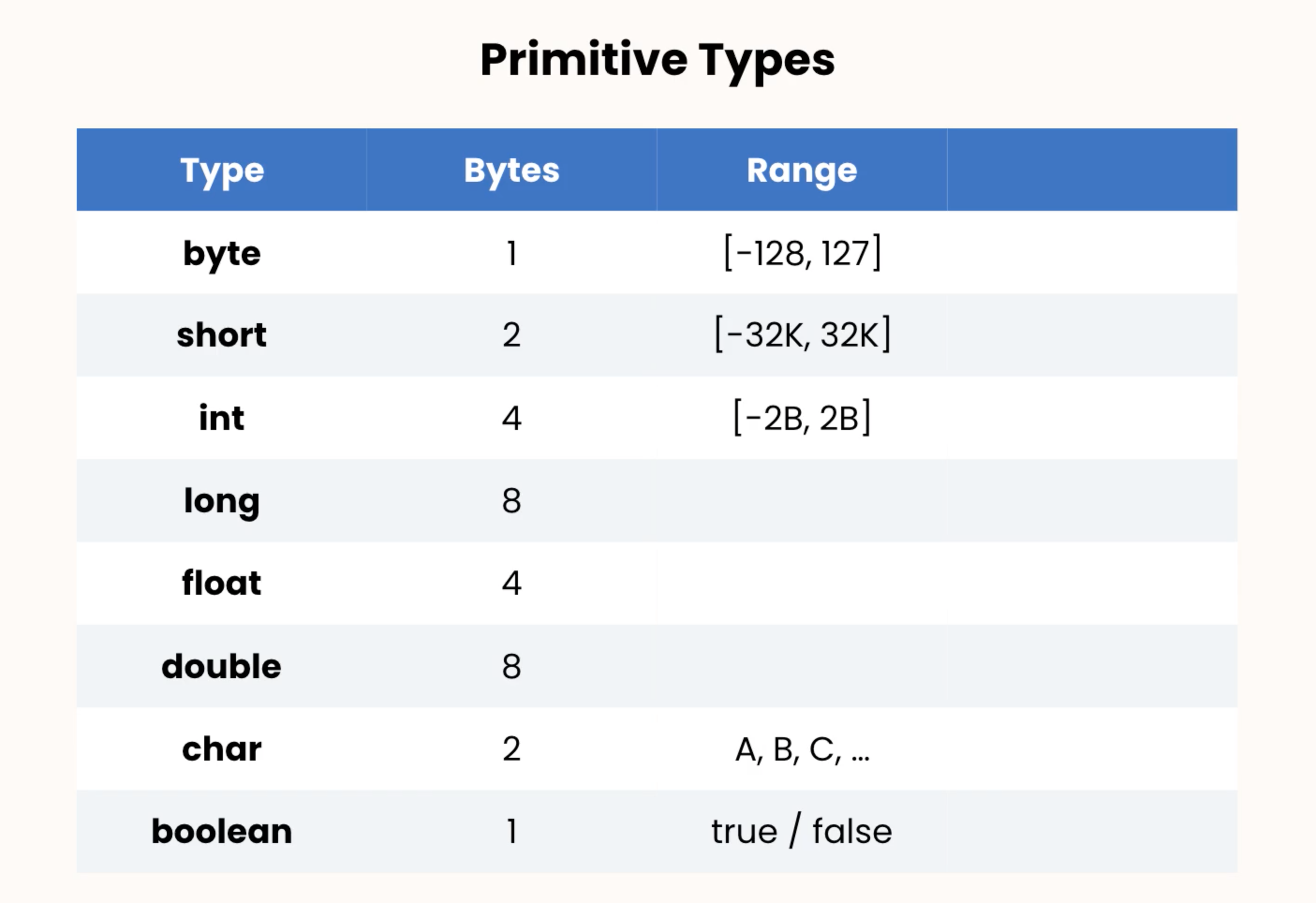
Example:
int age = 30;

int viewsCount = 123_456_789; // use underscore to make the number more readable

long viewsCount = 3_123_456_789L; // 'L' is not case-sensitive; 'L' is necessary, otherwise the machine will treat it as an int

float price = 10.99F; // F is not case-sensitive

char letter = 'A';

boolean isEligible = false;
1
2
3
4
5
6
7
8
9
10
11
2
3
4
5
6
7
8
9
10
11

int x = 1;
int y = x;

x = 2;

System.out.println(y);
// the result is still 1, because x and y are stored in different space of memory, and they are completely independent of each other
1
2
3
4
5
6
7
2
3
4
5
6
7
# Reference: for storing complex objects
- Always needs to allocate memory by using
new
byte age = 30; // don't need to allocate memory using 'new'
Date now = new Date(); // a new instance of the Date class; need to allocate new memory
now.getTime(); // the reference type has members
1
2
3
2
3
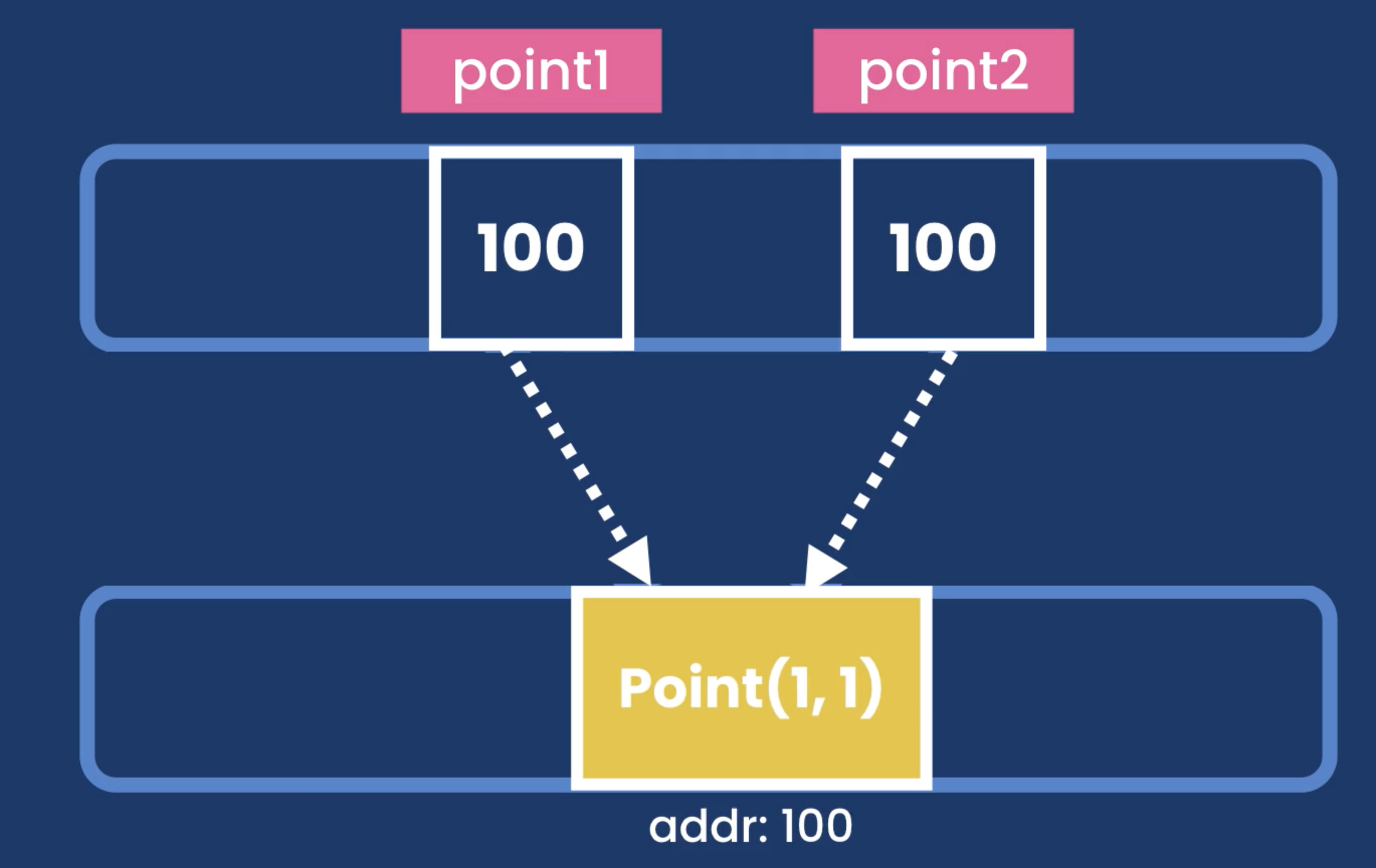
Point point1 = new Point(1, 1);
Point point2 = point; // they point to the same memory location, have the same address/reference

point1.x = 2;

System.out.println(point2.x) // becomes 2
1
2
3
4
5
6
2
3
4
5
6
# Casting
# Implicit Casting
- It happens whenever we are not going to lose data (there is no chance for data loss)
- byte --> short --> int --> long --> double --> float
// implicit casting:
short x = 1; // 2 bytes
int y = x + 2; // int: 4 bytes; x gets implicit casting to int
// It happens when no data is going to lost
System.out.println(y); // y = 3

double x = 1.1;
int y = x + 2; // cannot do this, int is smaller than double
double y = x + 2; // this is correct, 2 gets auto casted to double
1
2
3
4
5
6
7
8
9
2
3
4
5
6
7
8
9
# Explicit Casting
- Float - double - long - int - short - byte
double x = 1.1;
int y = (int) x + 2; // x becomes 1
1
2
2
# Wrapper classes
- Casting happens among compatible types (string cannot be casted to a number)
- Therefore, wrapper classes is needed to convert a string to numerical value
- Since input are often string, these classes are pretty useful
String x = "1";
int y = Integer.parseInt(x) + 2; // Integer is the wrapper class for the int primitive type

String x = "1.1";
double y = Double.parseDouble(x);
...
1
2
3
4
5
6
2
3
4
5
6
# Numbers, Strings and Arrays
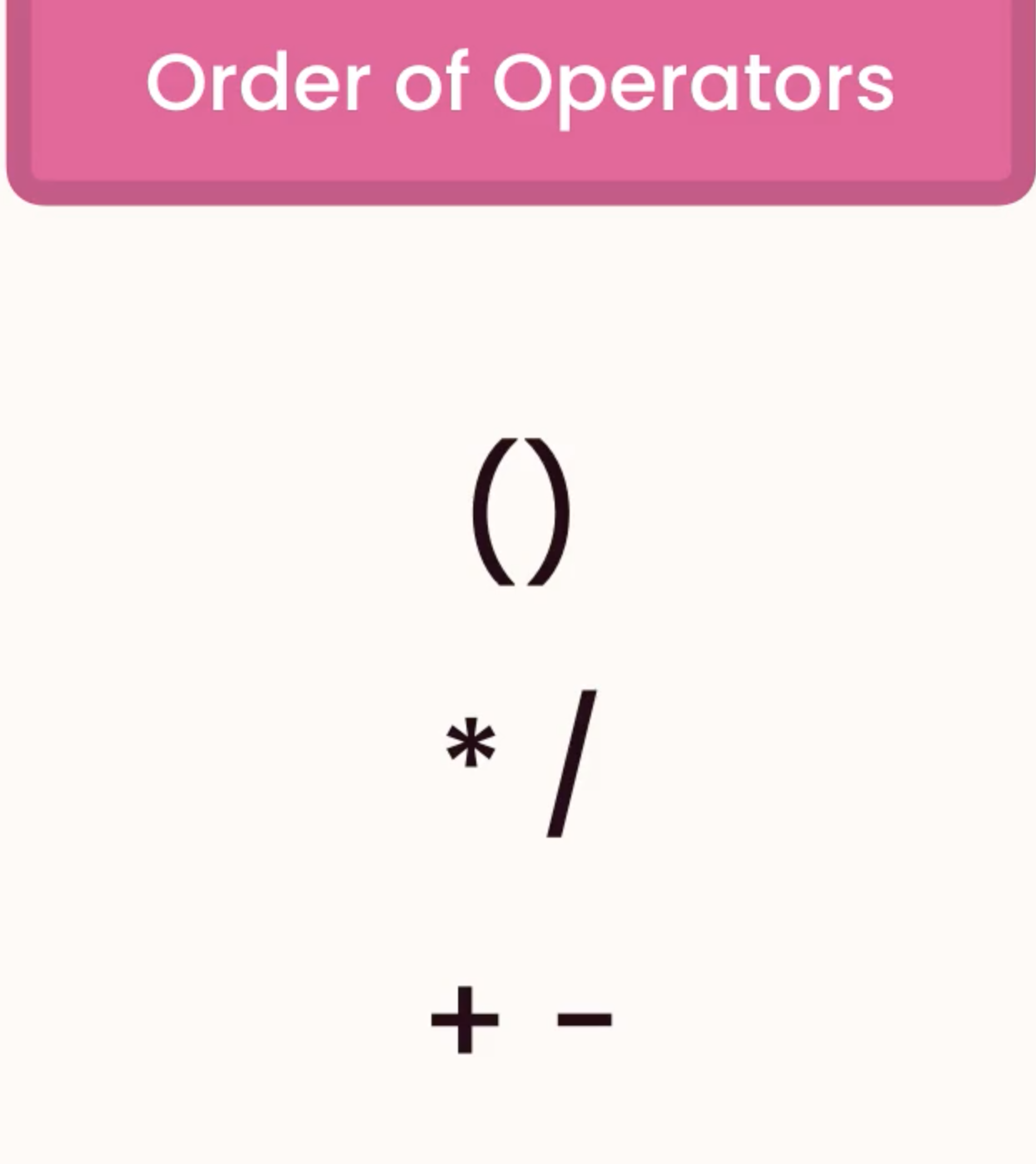
# Arithmetic Expressions
int result = 10 / 3; // 3
double result = (double) 10 / (double) 3; // 3.3333333

int x = 1;
	int x = x++; // x = 1;
// or
	int x = ++x; // x = 2;
1
2
3
4
5
6
7
2
3
4
5
6
7
int result = Math.round(3.3F); // 2; float to int or double to int
int result = (int) Math.ceil(3.3F); // 4, need to explicit cast
int result = (int) Math.floor(3.3F); // 3, need to explicit cast
int result = Math.max(1, 2); // 2
int result = Math.min(1, 2); // 1
double result = Math.random(); // a double 0~1
double result = Math.round(Math.random() * 100); // an integer 0~100
int result = (int) (Math.random() * 100); // an integer 0~100
1
2
3
4
5
6
7
8
2
3
4
5
6
7
8
# String is also a reference type
// from java.lang, auto imported
String message = new String ("Hello World"); // however, new String is redundent

String message = "Hello World" + "!!"; // this is the shorthand way

message.endsWith("!!"); // true
message.startsWith("!!"); // false
message.length(); // 12
message.indexOf("e"); // 1
message.indexOf("sky"); // -1, check to see if it exists
message.replace("!", "*");// target and replacement are parameters
// ! and * are arguments;
// Also, the original string is not changed, it’s just return a new stirng, because strings are immutable
message.toLowerCase();
message.trim() // delete unnecessary white spaces in the beginning or in the end of the string

// Escape sequences
String message = new String ("\"Hello World\"");
String message = new String ("c:\\Hello World\\...");
String message = new String ("Hello World\n");
String message = new String ("\tHello World");
1
2
3
4
5
6
7
8
9
10
11
12
13
14
15
16
17
18
19
20
21
2
3
4
5
6
7
8
9
10
11
12
13
14
15
16
17
18
19
20
21
# Arrays
int [] numbers = new int[5]; // size is 5
int [] numbers = {1,2,3,4,5}; // direct assignment
Arrays.sort(numbers);
System.out.println(Arrays.toString(numbers));

// Multi-dimensional Arrays
// 2-d array
int [][] matrix = new int [2][3];
int [][] matrix = {{1,2,3}, {4,5,6}}
System.out.println(Arrays.deepToString(matrix));
1
2
3
4
5
6
7
8
9
10
11
2
3
4
5
6
7
8
9
10
11
# Formatting Numbers
// NumberFormat is an abstract class
// cannot create an instance of this class
NumberFormat currency = NumberFormat.getCurrencyInstance();
String result = currency.format(123_456_7.891);
System.out.println(result); // $1,234,567.89

NumberFormat percent = NumberFormat.getPercentInstance();
String result = percent.format(0.1);
System.out.println(result); // 10%

// method chainning
String result = NumberFormat.getPercentInstance().format(0.1);
1
2
3
4
5
6
7
8
9
10
11
12
2
3
4
5
6
7
8
9
10
11
12
# Read Input
Scanner scanner = new Scanner(System.in);

System.out.print("Age: ");
byte age = scanner.nextByte();
System.out.println(age); // age to string

System.out.print("Name: ");
String name = scanner.next(); // just read one word
String name = scanner.nextLine().trim(); // read a line
1
2
3
4
5
6
7
8
9
2
3
4
5
6
7
8
9
上次更新: 2022/07/21, 12:07:30